All Products
Desktop Application · TypeScript Cancelled

WebGL SceneBuilder

A desktop tool for assembling, lighting, and optimizing 3D scenes — then exporting them as self-contained WebGL bundles ready to embed in any website. Built around the needs of developers and artists who want living 3D content in the browser without a game engine runtime.

Project Status: Cancelled

Development on WebGL SceneBuilder has been officially cancelled. The reason this tool was cancelled is that recent AI developments gave AI the capabilities to do the same thing. Although it will probably take longer compared to using dedicated software like this, I don't think the market will be there anymore for me to actually develop this software and invest my time in it.

I might open source the code in the future of the software as is, which is incomplete — we will see, I guess.

Feature Test Preview

Internal prototype test captures — development discontinued These were captured from an internal feature-test scene assembled to verify functionality during development. Since the project has been cancelled, they remain archived here as documentation of the completed subsystem implementations.
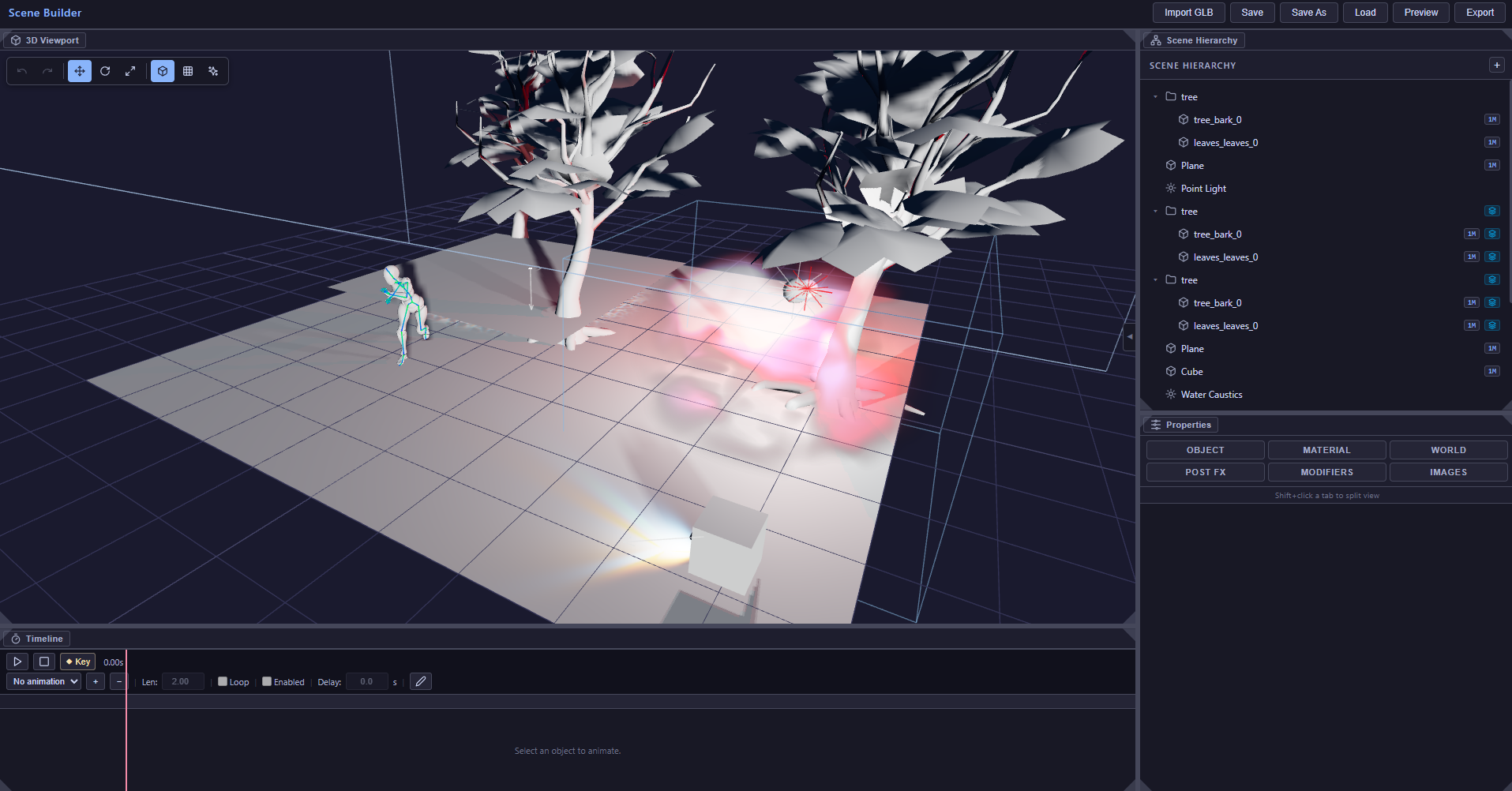
3D viewport solid view of the feature test scene showing two tree models, an animated Mixamo character rig, and coloured point lights casting glow on a reflective floor plane
Solid-view viewport — trees, animated character rig, and coloured point lights with caustics on a reflective floor plane
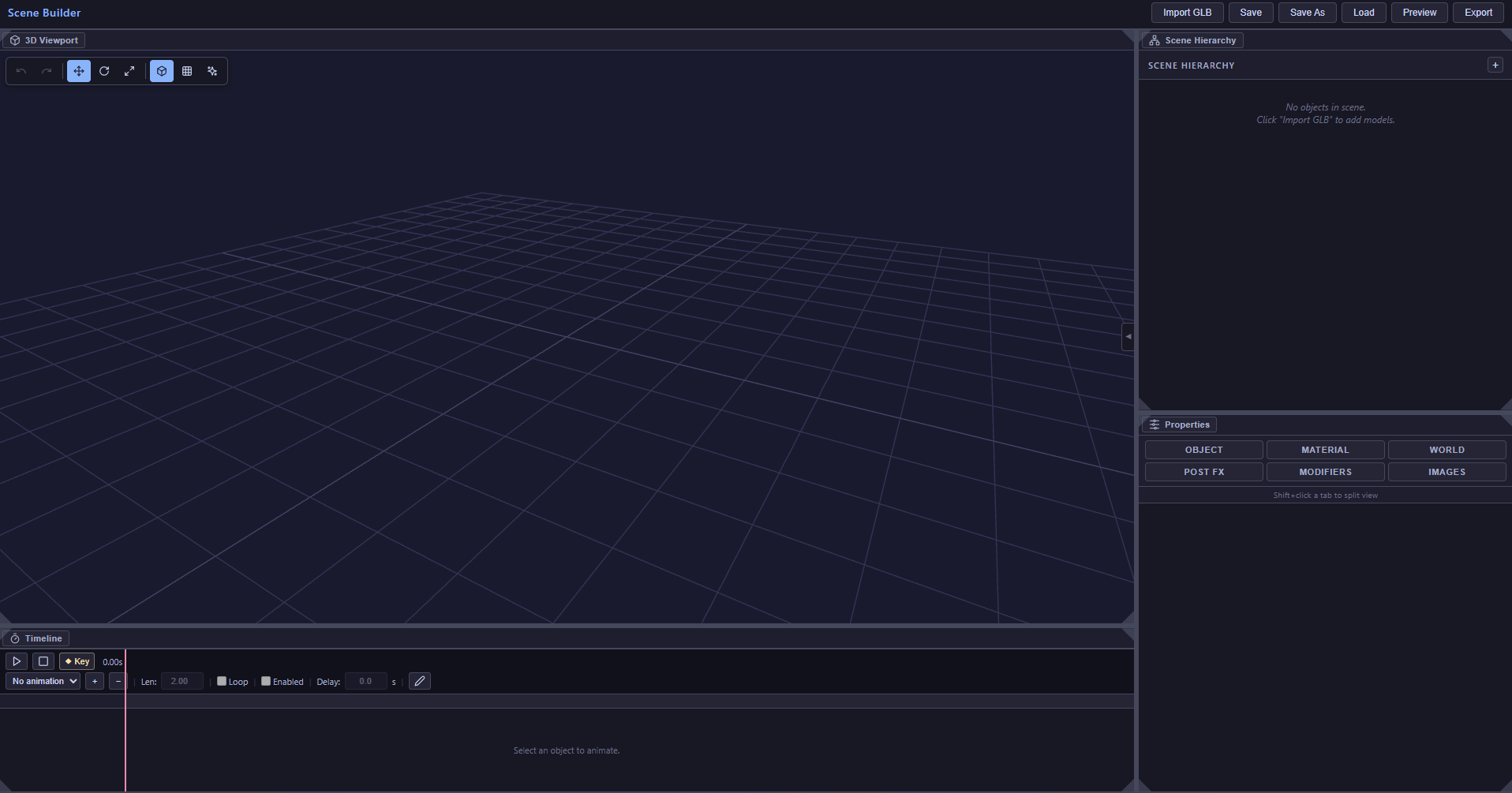
Scene Builder at launch with an empty 3D viewport, empty Scene Hierarchy, Properties panel, and Timeline
Blank canvas at launch — 3D viewport, Scene Hierarchy, Properties panel, and Timeline visible
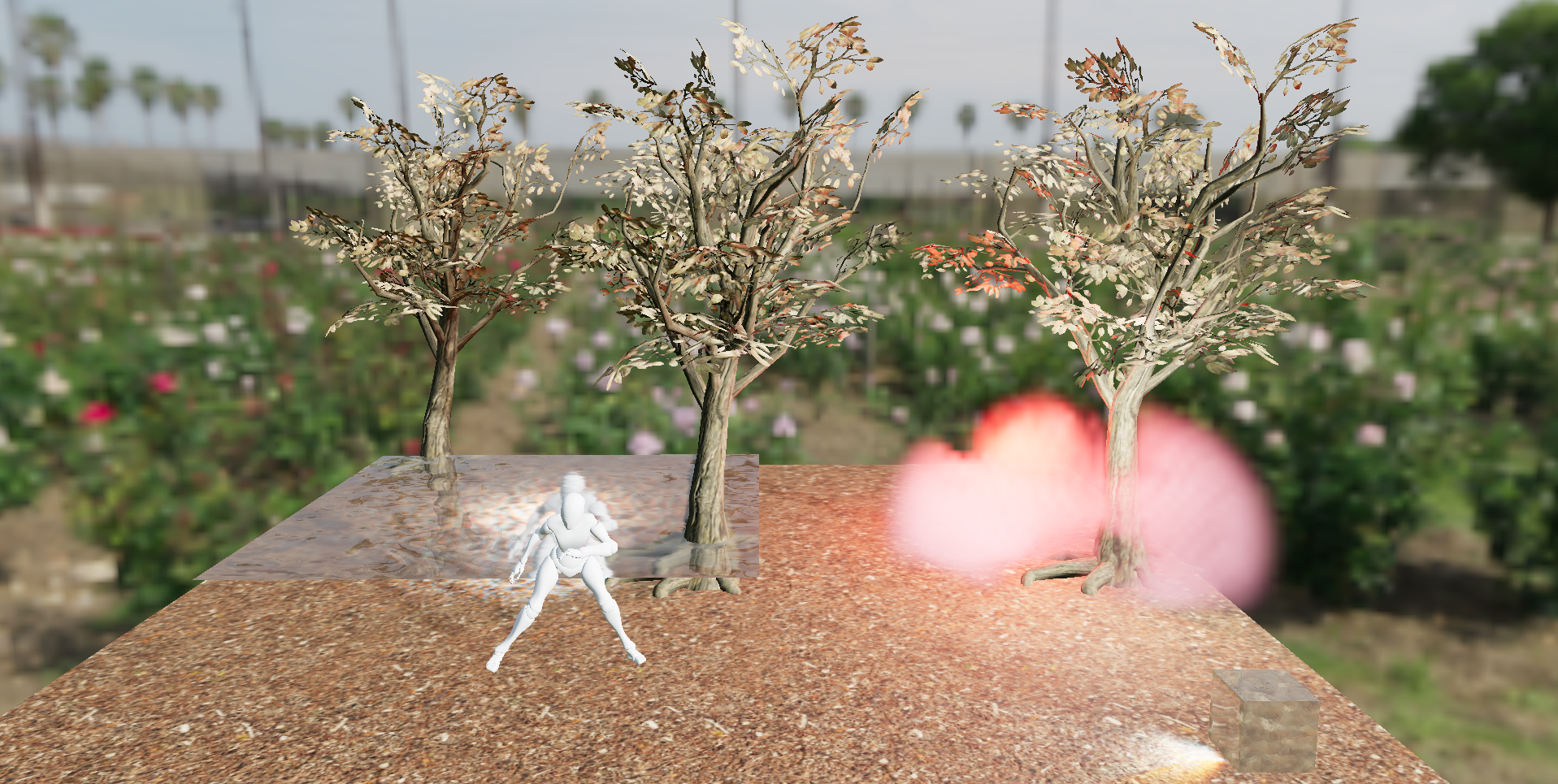
Rendered preview mode of the WebGL SceneBuilder test scene
Rendered preview of the test scene
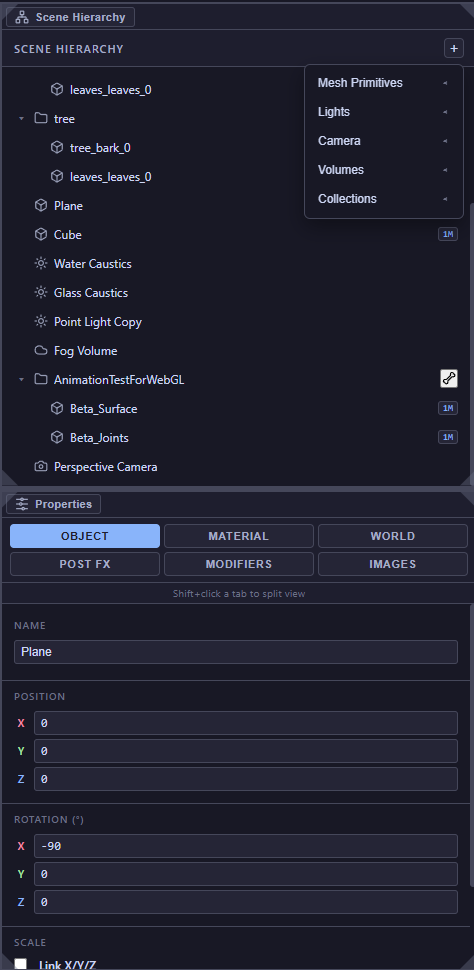
Scene Hierarchy listing mixed object types including tree mesh groups, a plane, a cube, water and glass caustic lights, a fog volume, a Mixamo animation rig, and a perspective camera; Properties panel shows object transform fields
Scene Hierarchy and Properties Panel
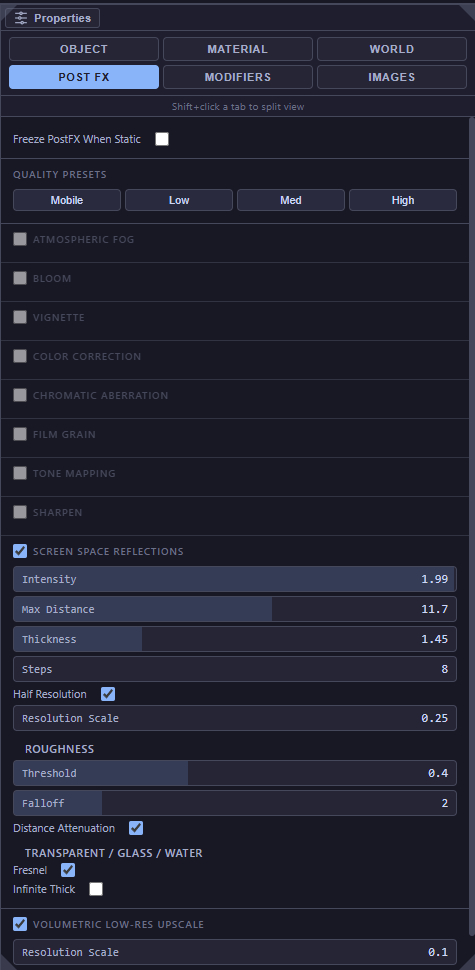
Post FX panel showing quality presets and per-effect toggles including screen space reflections, atmospheric fog, bloom, vignette, tone mapping, and volumetric upscale
Post FX panel — quality presets and per-effect controls
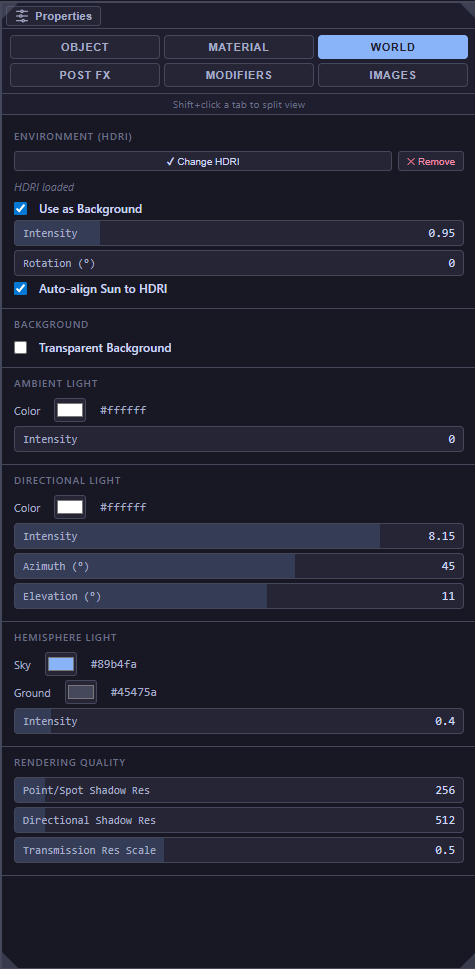
World settings panel with a loaded HDRI, directional and ambient light controls, hemisphere light, and shadow resolution setting
World Settings — HDRI environment, light controls, and rendering quality
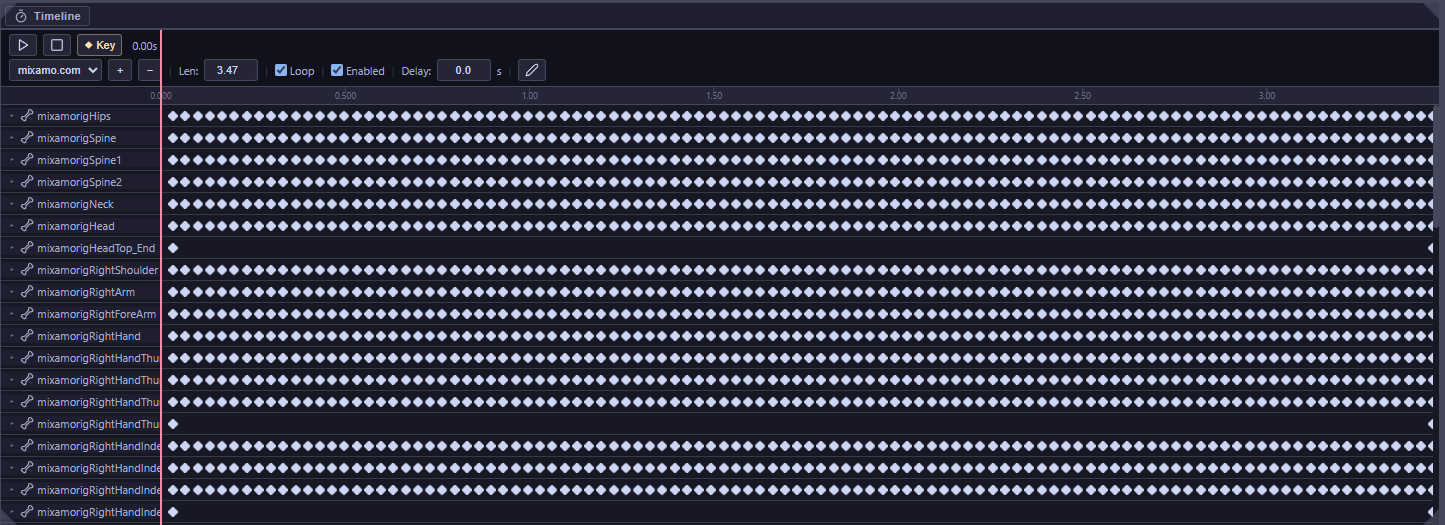
Animation timeline showing dense keyframe tracks across all 650 bones of a 3.47-second looping Mixamo character animation
Timeline — 3.47 s looping Mixamo animation with keyframes across all 650 rig bones
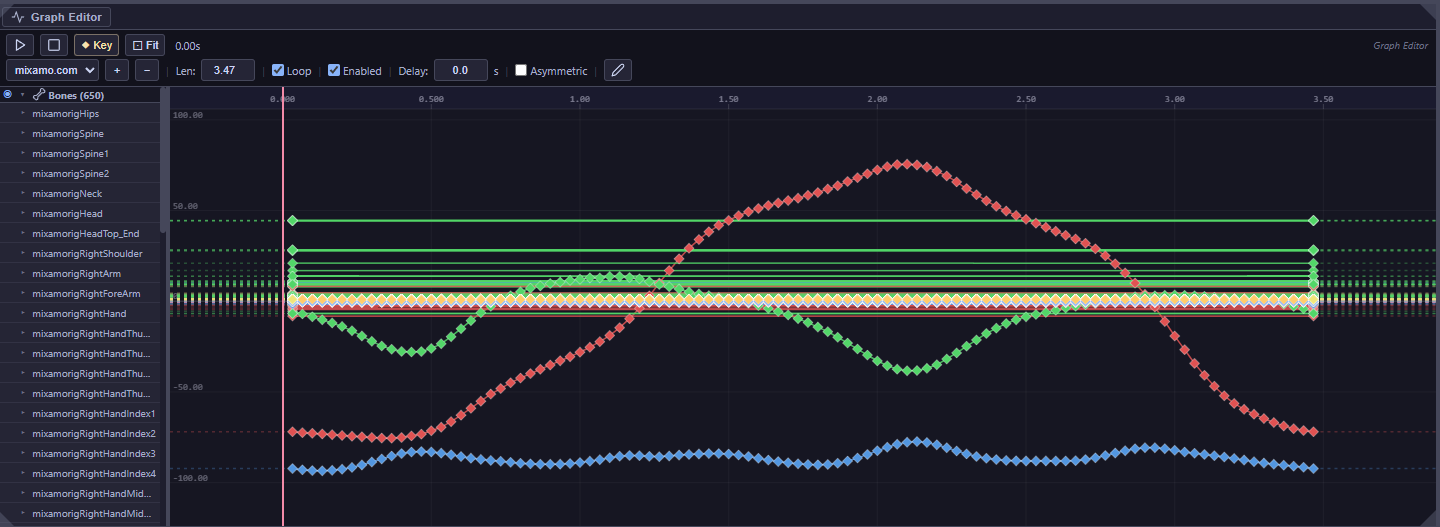
Graph editor showing colour-coded X, Y, and Z rotation animation curves for a Mixamo rig smoothly interpolated over a 3.5-second loop
Graph editor — per-bone animation curves with X/Y/Z colour-coding and smooth interpolation

This project has been archived. The screenshots and interactive capability showcase above document the features implemented prior to development being discontinued.