All Products
Blender Add-on  ·  Python  ·  Blender 4.2+ Released

Auto Router

Automatically organizes Shader and Geometry Node trees along their dependencies, routes connections cleanly around obstacles, and keeps your custom frame sections structured and easy to follow.

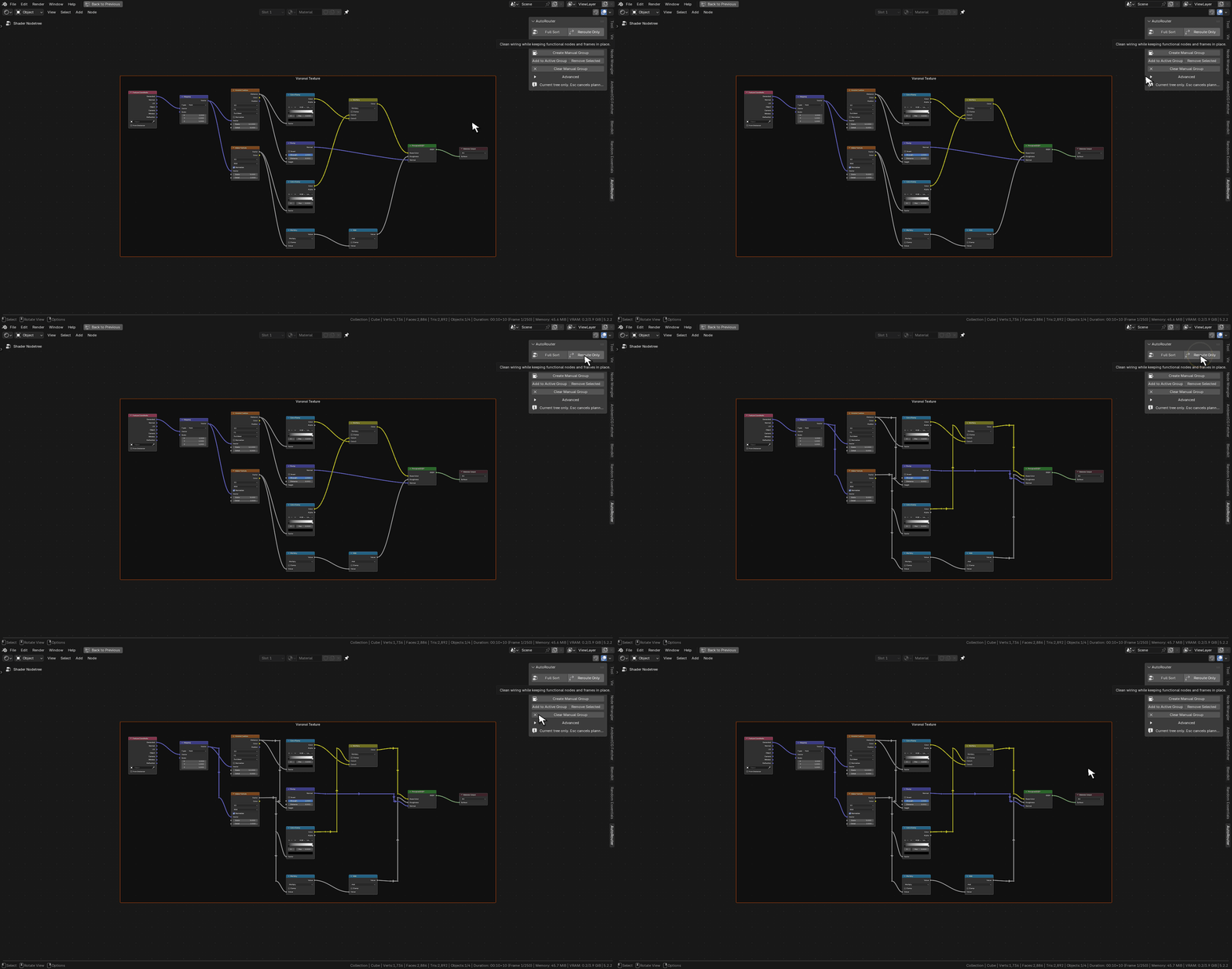
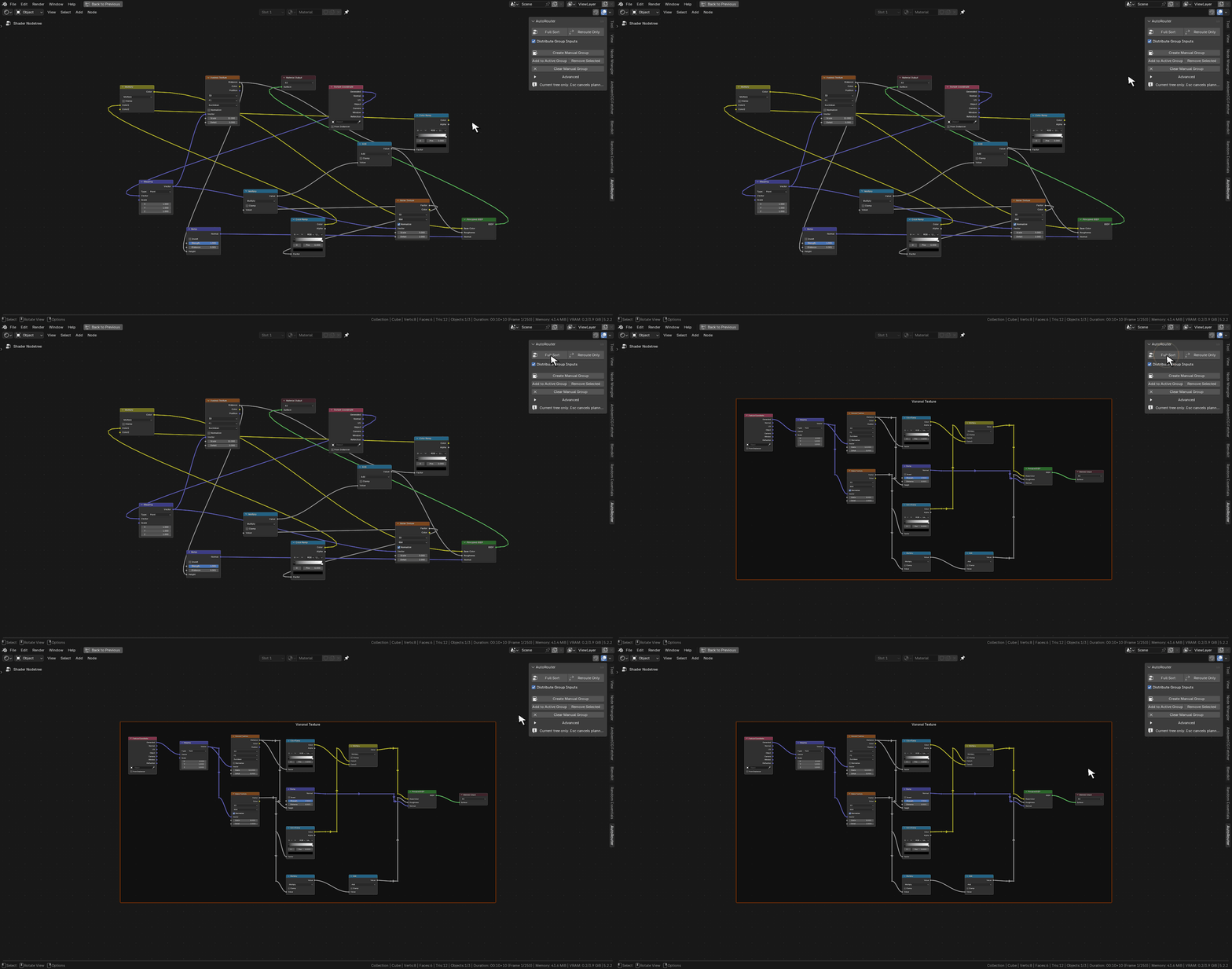
Auto Router Full Sort walkthrough on a Blender Shader Node graph
Full Sort — Shader Nodes. Repositions nodes along their logical dependency flow and routes connections cleanly through reroute lanes.
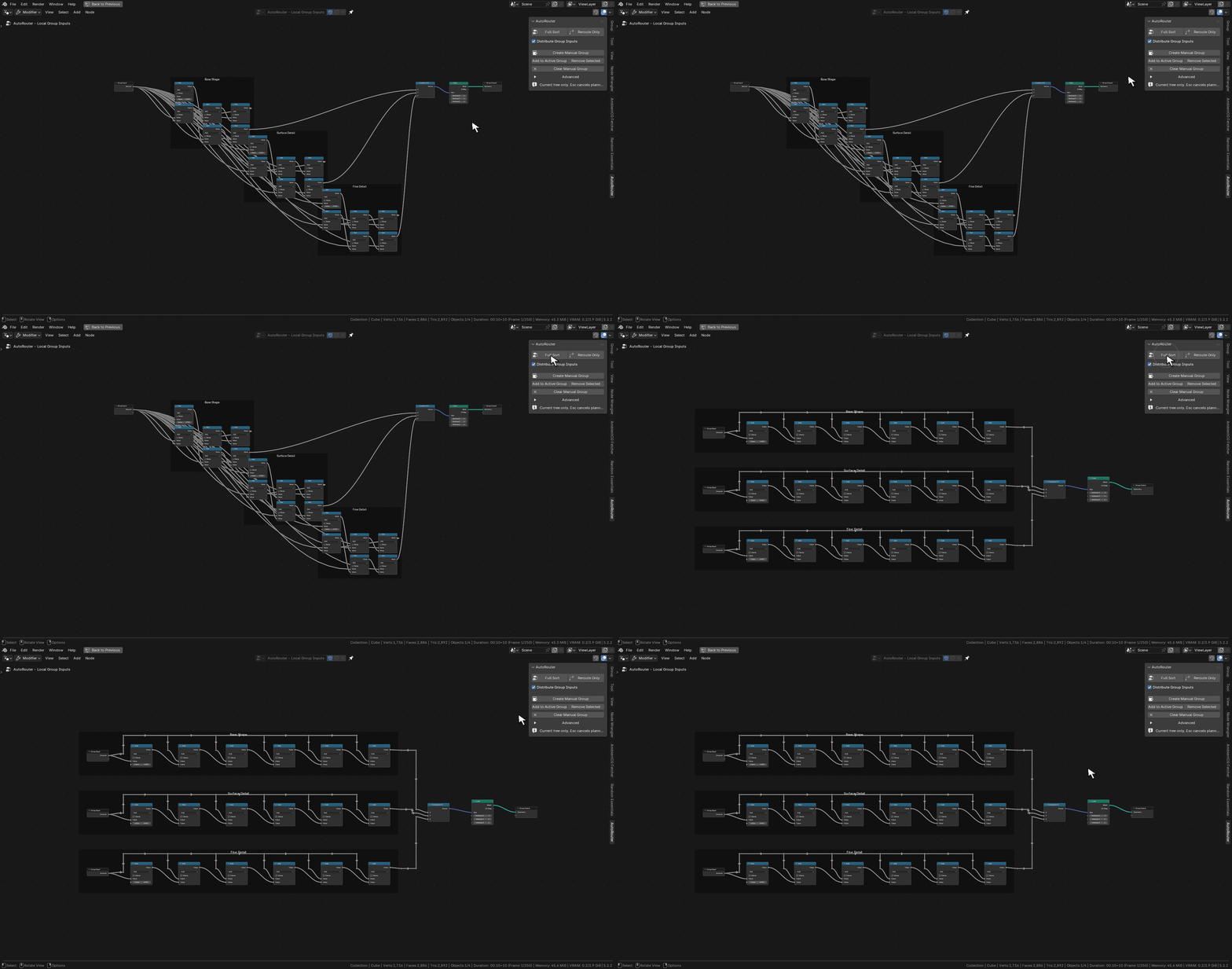
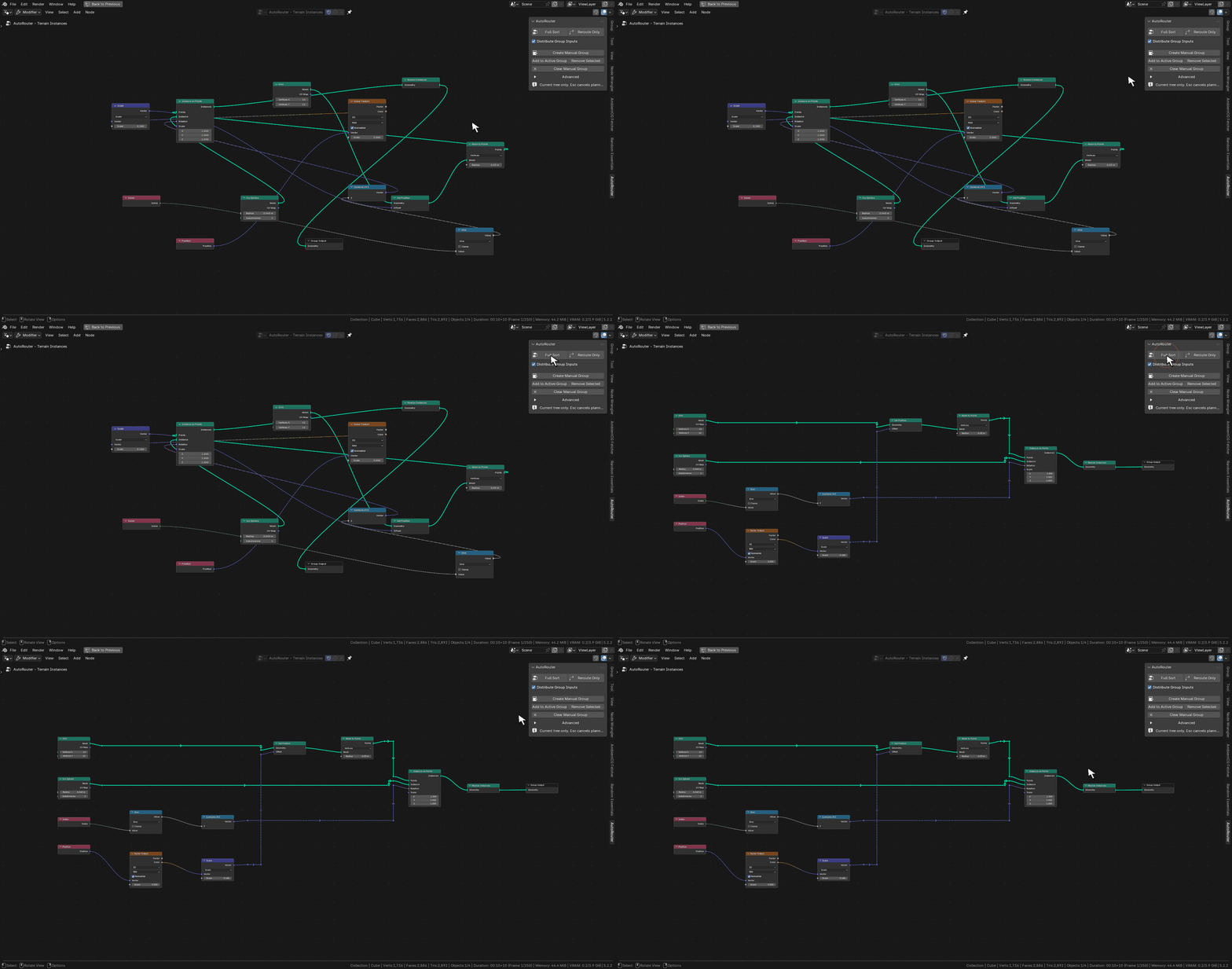
Auto Router Full Sort walkthrough on a Blender Geometry Nodes graph
Full Sort — Geometry Nodes. Untangles procedural geometry graphs while preserving every logical socket connection and evaluated mesh output.

What it does

Full Sort & Reroute Only modes

Run Full Sort to arrange nodes into clean dependency columns and automatically group substantial connected regions, or use Reroute Only to keep every functional node and frame locked in place while routing wires around your existing layout.

Manual group management

Create, expand, trim, or clear dedicated manual frame groups directly from the sidebar without shifting node positions. Existing hand-built frames and manual groups take priority over automatic grouping.

Local Group Input distribution

Eliminate long spanning wires across Geometry Node and Node Group trees by automatically placing local Group Input copies right next to the consumer regions that use them, exposing only the relevant sockets.

Configurable routing grid & safety checks

Fine-tune routing grid step, node spacing, wire lane separation, obstacle clearance, and search budgets. Before applying any layout, Auto Router verifies logical socket connections, muted links, and multi-input socket order — automatically restoring the original tree if a check fails.

Sort, route, and structure at your own pace

Whether you need to untangle an entire node tree from scratch or tidy up the wiring on a layout you already arranged by hand, Auto Router adapts to how you build graphs in both the Shader Editor and Geometry Nodes Editor.
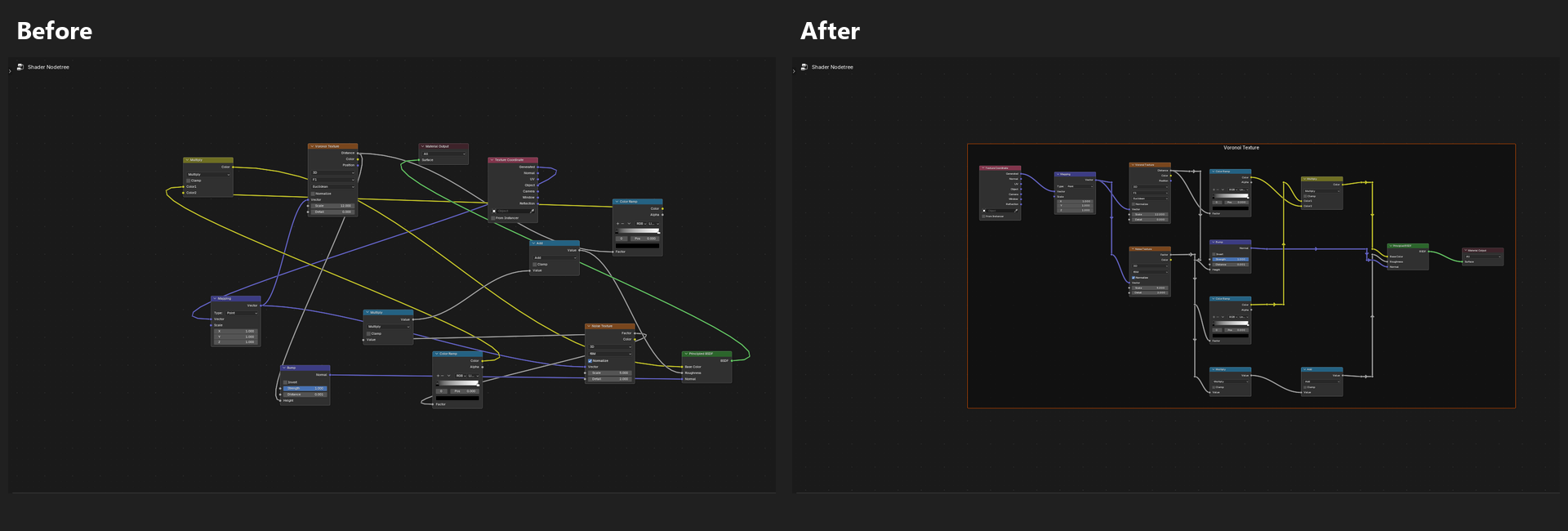
Before and after comparison of Full Sort on a Shader Node tree
Full Sort (Shader Editor) — Tangled material nodes organized into readable stages with clean orthogonal reroute lanes.
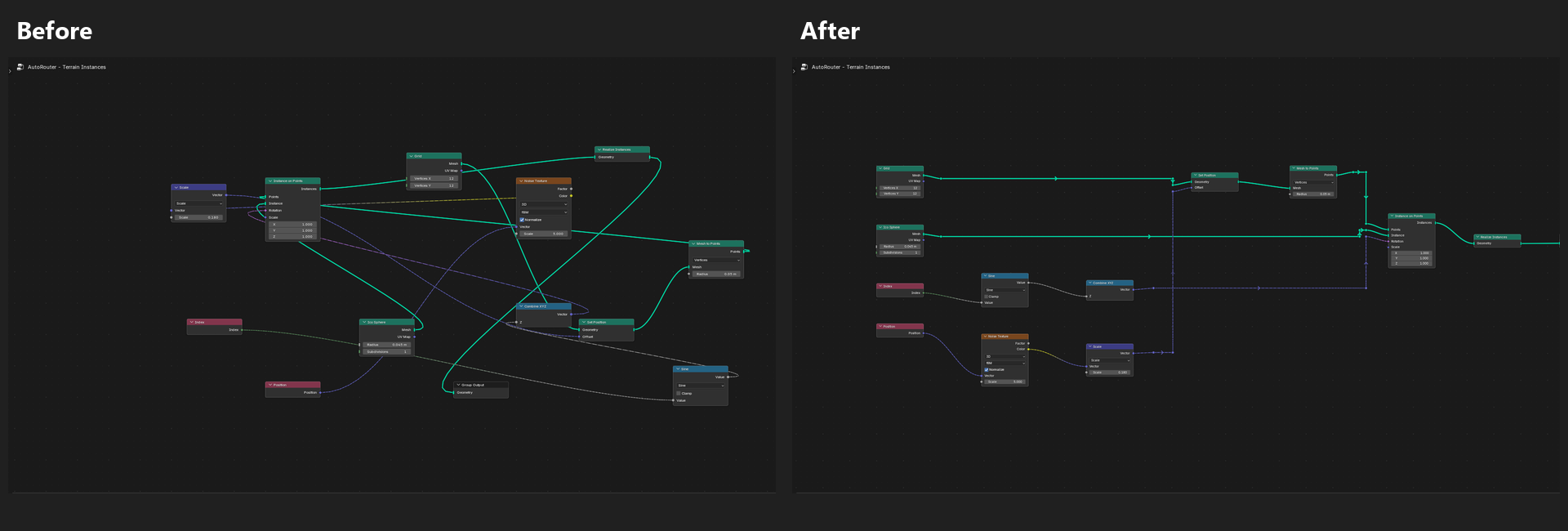
Before and after comparison of Full Sort on a Geometry Nodes tree
Full Sort (Geometry Nodes) — Parallel geometry and attribute branches aligned left-to-right into structured columns.
Reroute Only demonstration keeping node positions fixed while routing wires
Reroute Only — Functional-node and frame positions stay untouched while connections route cleanly around obstacles.
Distribute Group Inputs demonstration splitting one Group Input into three local copies
Distribute Group Inputs — One shared Group Input split into three local copies positioned directly beside each consumer frame.
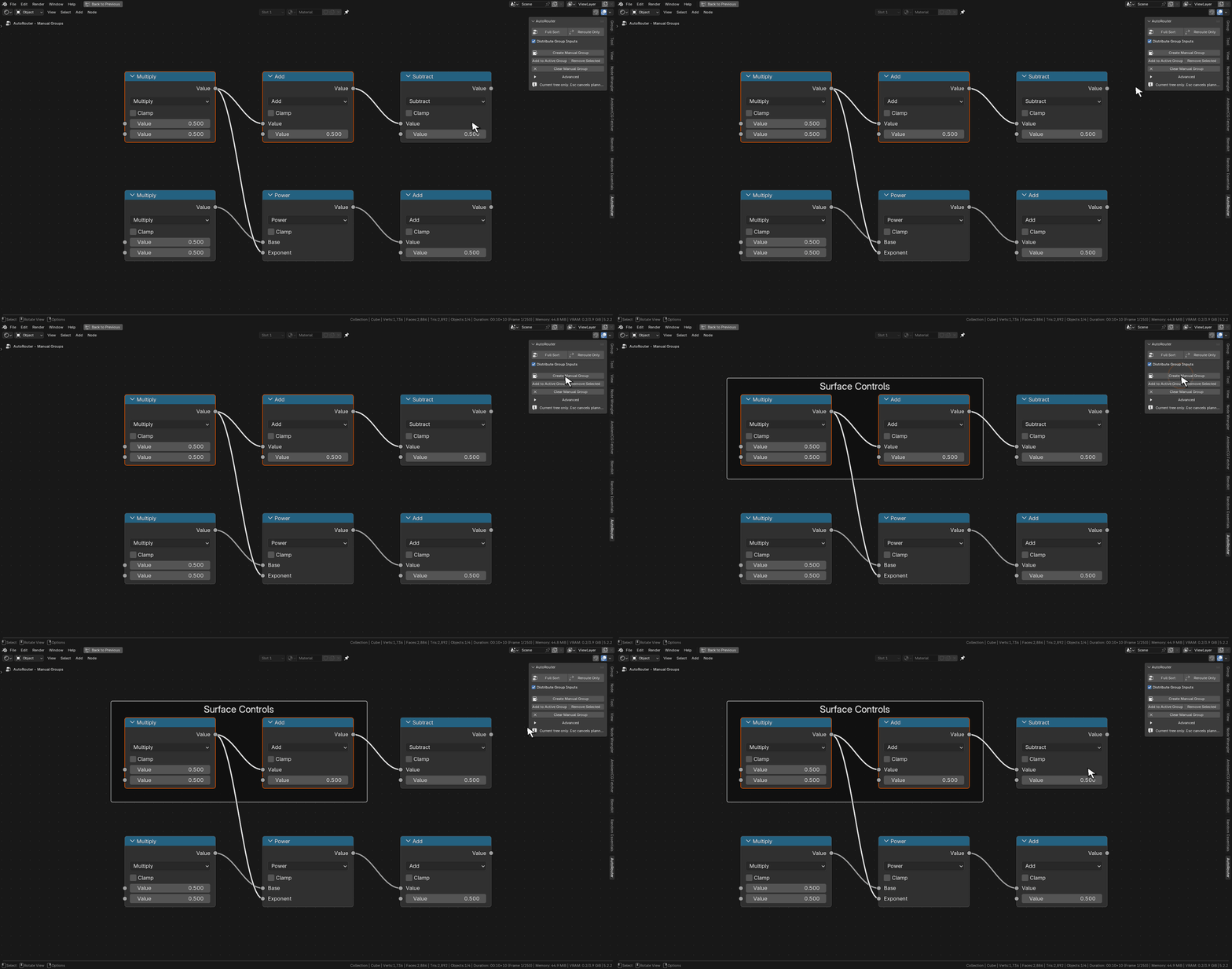
Create Manual Group demonstration in Blender
Manual Groups — Frame selected nodes into named sections that Full Sort respects as dedicated layout units.
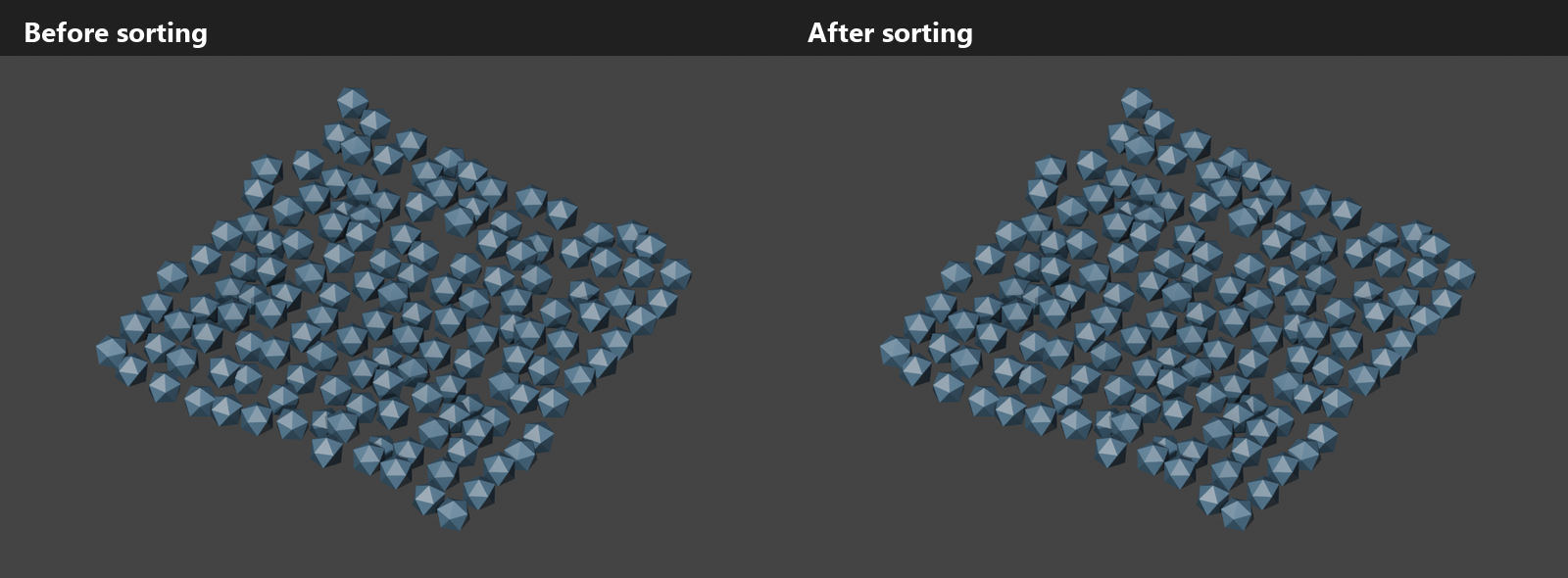
Before and after evaluated geometry viewport comparison proving identical mesh output
Verified Topology — Logical socket connections, multi-input order, and evaluated geometry output remain identical before and after sorting.

Scaling to a 432-node production setup

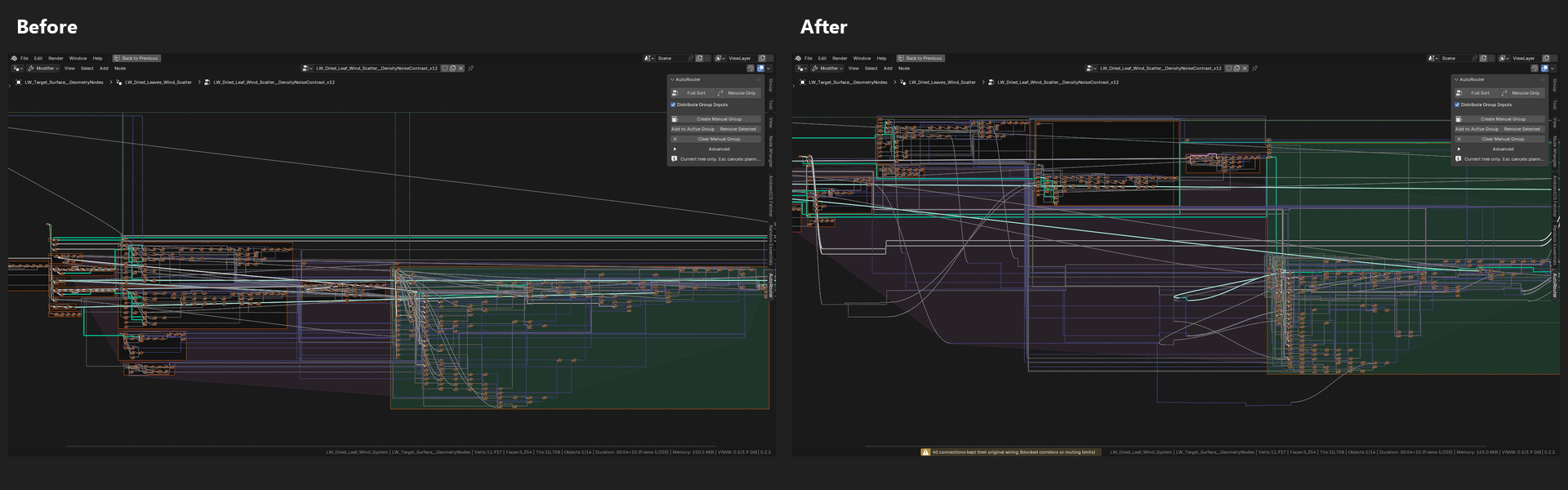
Tested on a complex procedural wind-scatter simulation tree containing 432 nodes, 712 logical connections, and 16 frames. Combining targeted per-frame local Group Input preparation with Full Sort turns dense cross-graph spaghetti into self-contained, readable modules.

Refinement pass on the 432-node leaf-wind simulation graph (processing time condensed for tutorial playback; pointer and click pulses added in post).
Before and after overview of the 432-node Geometry Nodes tree
Full Graph Overview — 432 nodes and 712 links before and after local input preparation and Full Sort.
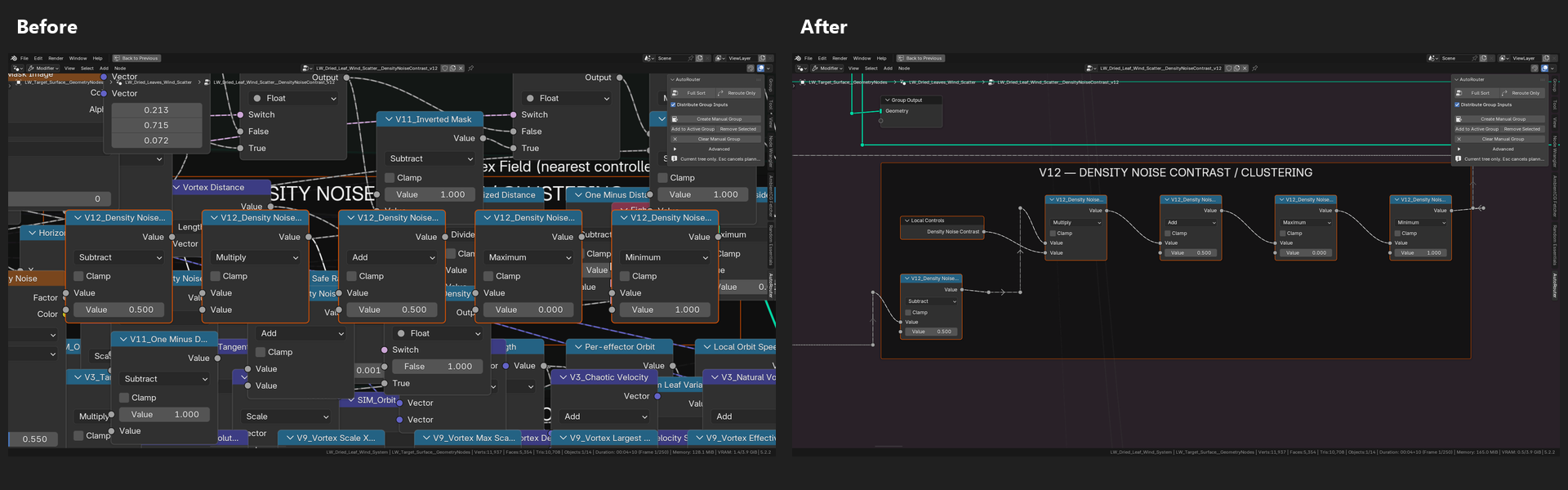
Before and after detail comparison of the Density Noise Contrast frame
Density Noise Contrast — Overlapping math chains resolved into a clean left-to-right sequence with a local control input.
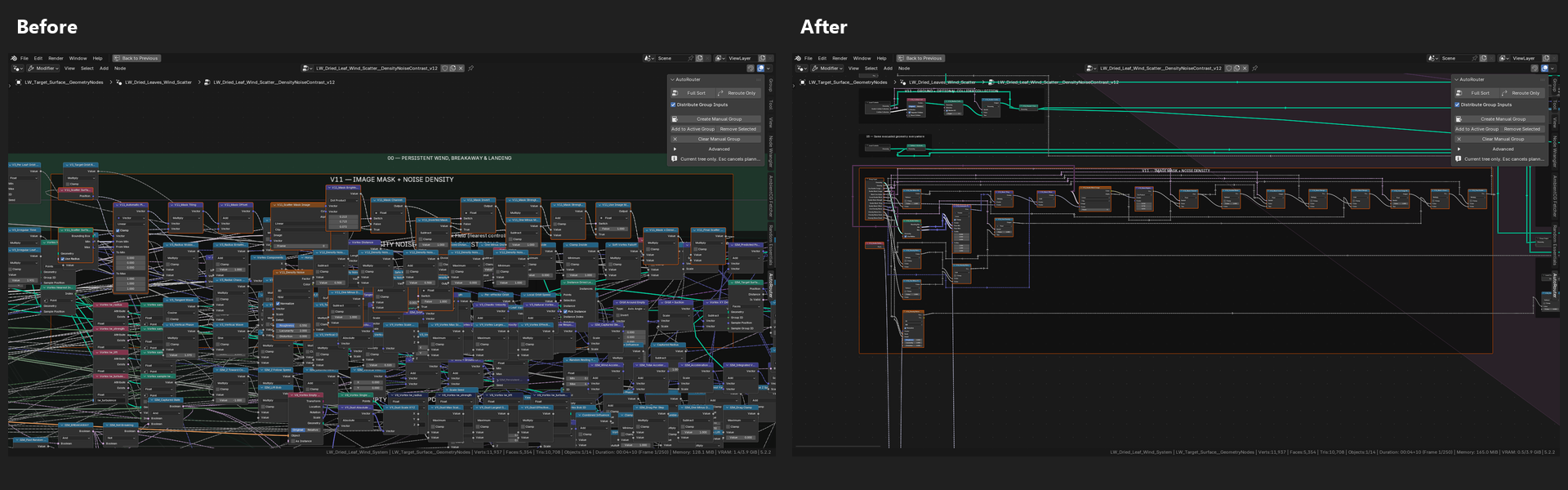
Before and after detail comparison of the Image Mask + Noise Density frame
Image Mask & Noise Density — Crossed wires untangled and aligned within the existing frame boundary.
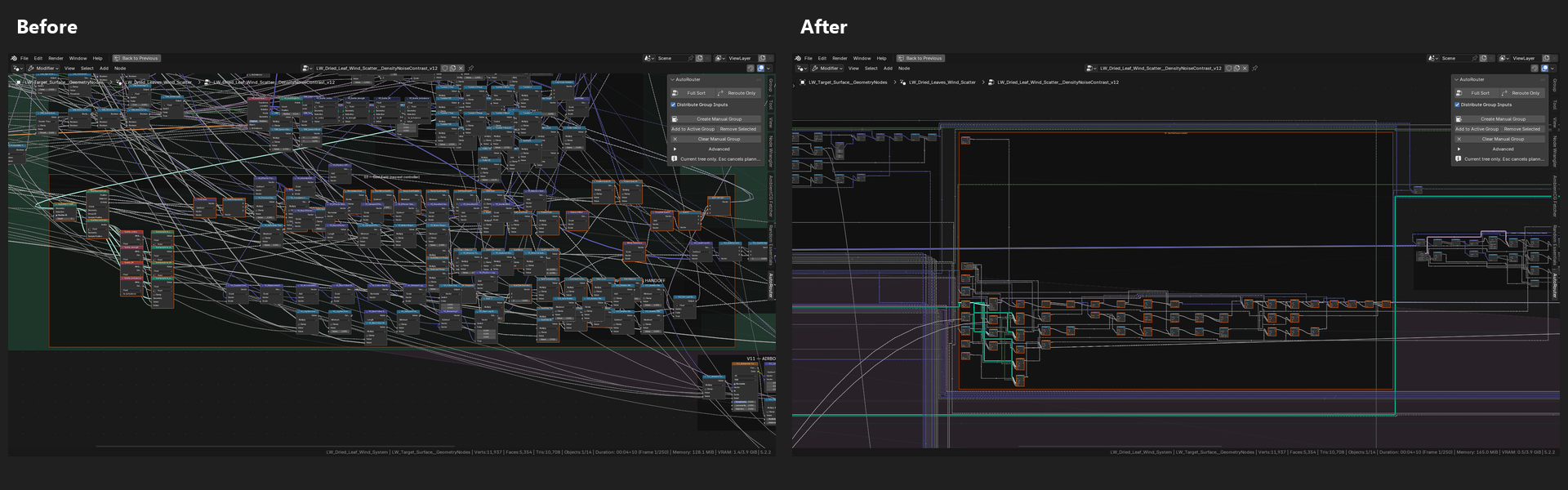
Before and after detail comparison of the Gust Field frame
Gust Field Module — Dense vector math and simulation handoff connections organized into traceable columns and wire lanes.